Property Management Dashboard
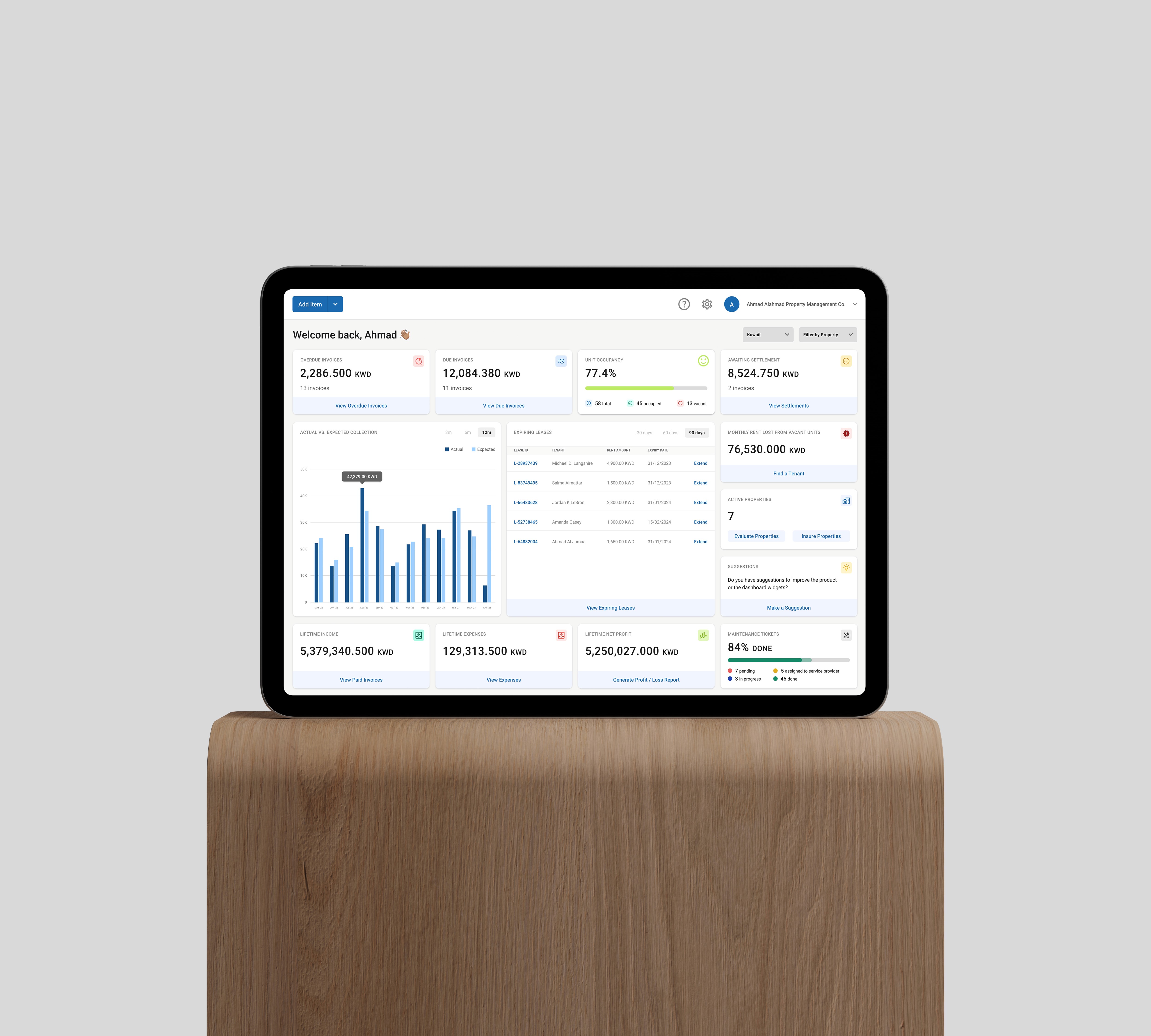
The dashboard is the central hub of the Ajar's web application. It provides property managers and landlords with a real-time view of financial performance, lease status, occupancy rates, and operational tasks, all in one place. The dashboard consolidates critical KPIs, including overdue and due invoices, unit occupancy, upcoming lease expirations, rent loss from vacant units, maintenance progress, and lifetime profit metrics.
With its clean layout and interactive widgets, it enables quick decision-making without needing to navigate deep into other modules.
The Problem
Property managers often struggle with fragmented information spread across multiple reports, spreadsheets, and systems.
This slows down decision-making and increases the likelihood of missed deadlines — such as lease renewals or overdue invoice follow-ups.
The challenge was to design a single, intuitive dashboard that surfaces the most critical metrics, allows quick actions, and keeps the user in control of their portfolio’s health.
My Role
Product Lead & UX Designer
Defined key metrics to display based on property management workflows.
Designed the dashboard layout, prioritizing visibility of overdue items and quick action buttons.
Conducted usability testing to ensure data was easy to scan and act on.
Collaborated with engineering to integrate real-time API data feeds for financial and operational widgets.
Research & Insights
Methods
Stakeholder interviews with property managers, accountants, and operations teams.
Review of existing data sources and reporting tools used by the client.
Usability testing with clickable prototypes.
Insights
Action over data: Users preferred dashboards that not only showed KPIs but also allowed direct actions (e.g., extending a lease).
Time-sensitive metrics on top: Overdue invoices, expiring leases, and occupancy rate needed to be front and center.
Minimal cognitive loan: Avoid overwhelming the user with too many numbers; group related data and use clear visual hierarchy.
User Flow
Login → Land on dashboard with personalized greeting.
Scan financial metrics (overdue, due, settlements, lifetime income/expenses).
Check occupancy rate and see rent lost from vacant units.
Review expiring leases and use the “Extend” shortcut.
Track maintenance progress with a visual completion bar.
Navigate deeper into invoices, leases, or reports as needed.
What I Learned
Prioritizing critical KPIs in the top half of the dashboard increased engagement with those widgets.
Users valued having inline actions (like “Extend” or “Find a Tenant”) without needing to leave the dashboard.